Join the early-access waitlist

A children’s book studio for authors & illustrators.

You have a story in mind. Give it a manuscript, a visual direction, and a plan you can share.

Occibo’s planned AI-assisted workflow connects manuscript planning, character references, prototype page layouts, and illustrator briefs. Your story. Your creative decisions.

In development. Author visuals are prototypes and references by default, not final commercial illustrations.
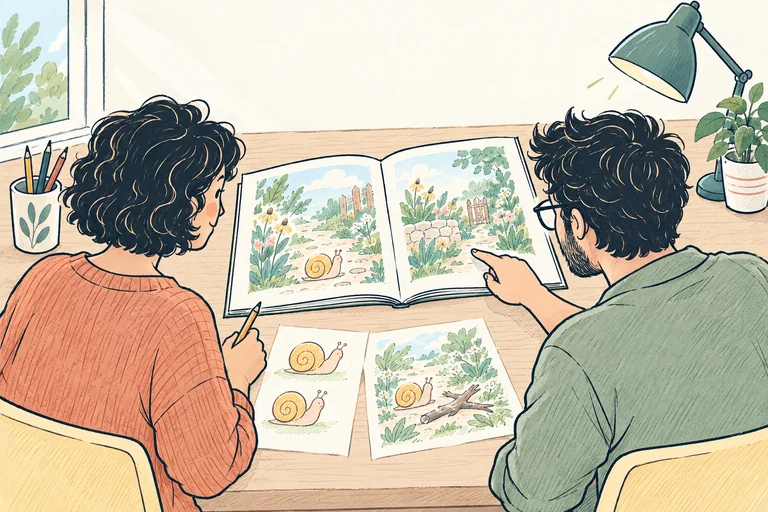
Over-the-shoulder view of two adult collaborators reviewing a book dummy facing them and paper references for a snail character
A clearer brief. More room for creative collaboration.

From a manuscript to a shared visual plan.

Writing a children’s book is one part of the work. Preparing it for illustration means thinking about character, rhythm, and what each spread needs to do.

Occibo is being designed to keep those decisions connected. These are the materials the planned author workflow helps you prepare.

  1. A manuscript with a direction

    Begin with an idea or existing story. Define the intended reader, central change, and moments worth slowing down for before you plan the pictures.

    Working materialStory outline and manuscript plan

  2. Characters an illustrator can understand

    Bring together appearance, personality, relationships, and visual references. Separate details that matter to the story from ideas you are still exploring.

    Working materialCharacter notes and reference sheets

  3. A story that works across page turns

    Break the manuscript into scenes. Decide what the words tell, what the illustration reveals, and what should wait until the reader turns the page.

    Working materialScene breakdown and prototype book dummy

  4. A useful starting point for collaboration

    Gather the manuscript, scene intentions, references, and open questions. Give your illustrator context without prescribing every creative choice.

    Working materialIllustration brief and handoff plan

One small story.
A clearer creative brief.

Follow Nell’s Small Detour, an original planning example, from a few lines of manuscript to a character reference and prototype spread. These are illustrative materials, not an exported Occibo book or final commercial artwork.

A moment from the manuscript

The shortcut ended at a fallen branch.
Nell looked left. She looked right.
The long way was full of possibilities.

A read-aloud picture-book idea about curiosity and taking a different path.

Turn the words into a scene brief

Story beat
Nell pauses where her usual path is interrupted.
Visual job
Show a small branch from a snail’s viewpoint. Leave an inviting route around it.
Emotional tone
Curiosity, not danger. Keep the garden open and welcoming.
Page turn
Lead the eye toward the path on the right. Save what Nell discovers for the next spread.

Give the character a reference, not just a name

A children’s book character reference sheet records what should stay recognizable across scenes. Pose and expression can change without redesigning the character.
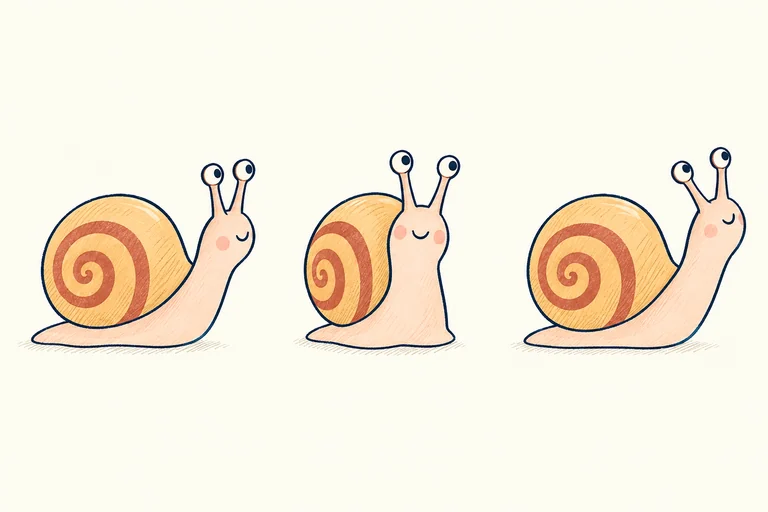
Keep
Honey-gold shell, terracotta spiral, pale peach body, two eyes at the tips of the stalks.
Explore
Head angle, expression, scale within the scene, and the direction Nell is looking.
Avoid
Extra limbs, a second shell, or new accessories that the manuscript has not introduced.
Three reference drawings of Nell, the same peach-bodied snail with a honey-gold spiral shell, seen in different poses
Character exploration: three views of one character, not three characters in the story.

Test the page turn in a prototype spread

Try the relationship between text, image, and reading order before commissioning or making final artwork.

The shortcut ended
at a fallen branch.

Nell looked left.
She looked right.

The long way was full
of possibilities.
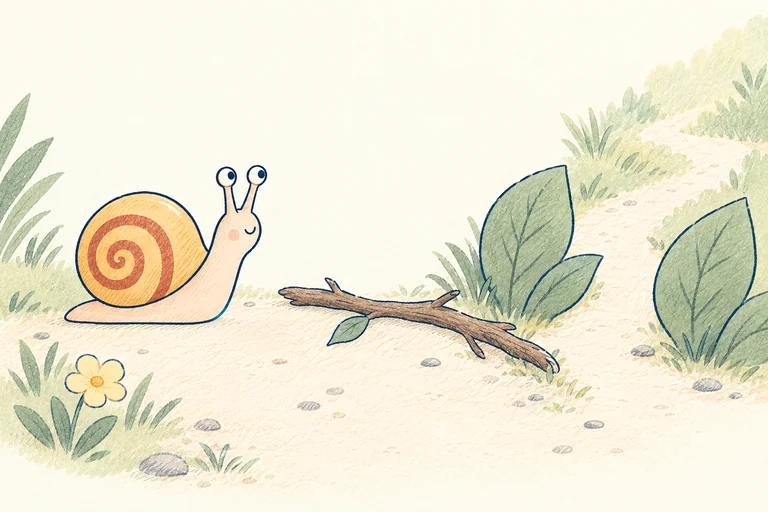
Nell pauses beside a fallen branch while a garden path curves around it toward the upper right
Illustrative prototype layout. It is not a print-ready file; final typography, artwork, trim, and production specifications still need review.
Read the illustrator handoff notes

What matters: Nell should feel curious. Preserve the recognizable shell and body, show just one Nell in this scene, and make the route around the branch easy to read.

What is open: The illustrator can reinterpret the brushwork, garden details, viewpoint, and composition. The reference explains the story intention; it is not a request to trace the prototype.

Check at the next review: Does the branch stay in the same place across adjoining spreads? Is Nell following the route we introduced? Does the next page deliver the discovery promised here?

Brief the illustrator.
Leave room for the artist.

A children’s book illustration brief should communicate the story’s needs, not close down another person’s imagination.

Occibo’s planned author–illustrator workflow is about sharing context and testing ideas before final artwork begins.

Explain the intention

Share what the reader should notice or feel, which details carry the plot, and how one scene connects to the next. An image reference alone cannot explain all of that.

Separate requirements from possibilities

A character’s distinctive silhouette may be essential. A camera angle or color treatment may be an experiment. Make that distinction visible in your notes.

Agree the final-art process together

Use a prototype book dummy to discuss pacing and composition. Agree artwork scope, review stages, rights, fees, and production responsibilities directly with your collaborator.

Consistency is more than the same face.

A character reference is a starting point. Read the whole visual sequence to check whether the world, actions, and story still make sense. This is a human review checklist, not a claim of automatic error detection.

Character identity

Compare the features that make a character recognizable: silhouette, proportions, colors, and clothing. Allow expressions and poses to change with the story.

Props and actions

Follow an object from one scene to the next. If a character puts a bag down, it should not also remain on their back. Check what each character is holding and doing.

Place and perspective

Keep important landmarks and relationships understandable. Changing the viewpoint should not accidentally move a doorway, reverse a route, or hide the action.

Words, pictures, and page turns

Check that the picture supports this moment in the manuscript. Let the art add meaning without revealing a discovery that belongs on the next page.

Occibo Promotion · Planned module

Give your story a way to meet its readers.

Writing the book is one creative project. Introducing it is another. Occibo’s planned Promotion module helps authors prepare book marketing materials around their story, audience, and visual direction.

  • Introduce the bookBook blurbs, descriptions, and cover reveal copy in your author voice.
  • Build your social assetsInstagram posts, Facebook graphics, captions, and book mockups.
  • Prepare your launch kitLaunch announcements, review requests, keyword ideas, and a book promotion checklist.

Plan promotion alongside a new book, or bring an existing title created outside Occibo. Review the materials before you share them.

Explore the Promotion module

In development. Supported formats and final scope are not yet confirmed. Automatic posting and social account management are not confirmed features.

Illustrative Instagram and Facebook post designs.
Your book, adapted for each channel.

Take the next step.
Keep the right guide close.

A prototype is not the end of production. Explore the existing Occibo guides for software choices, publishing, formatting, and the planned Promotion module.

Final commercial exports, printing options, and launch features remain unconfirmed. Use current requirements from your chosen publisher or printer.

Before your first book plan.

Answers for authors and illustrators about manuscripts, visual references, book dummies, and the planned studio.

Can I start with a manuscript I have already written?

The planned author workflow can begin with an existing story as well as a new idea. You remain responsible for your text while developing scene intentions, character notes, and page flow. Supported import formats and launch details have not yet been confirmed.

What is a picture-book dummy?

A picture-book dummy is a rough version of a book used to test sequence, pacing, page turns, and the relationship between words and pictures. It can use simple sketches or reference imagery. It is a planning tool, not necessarily finished artwork or a print-ready file.

What belongs in a children’s book illustration brief?

Include the manuscript, intended audience, character notes, scene intentions, relevant visual references, and the details that must remain consistent. Explain what matters to the story and which choices are open. Scope, rights, fees, schedules, and deliverables should be agreed separately with your illustrator.

Does Occibo generate final commercial illustrations for authors?

Author visuals are intended as references and prototypes by default. They help communicate ideas and explore a visual direction. Final commercial artwork belongs to the illustrator, artist, author-illustrator, or other final-art workflow you choose; a prototype is not a promise of finished, commercially cleared artwork.

How is this different from an instant AI children’s book generator?

Occibo is being developed around guided decisions: manuscript planning, character direction, illustration prototyping, a book dummy, and review. The aim is to prepare a coherent creative project, not to treat a first generated story or image as a finished book.

Will Occibo automatically fix character and scene inconsistencies?

Character continuity is part of the planned visual-planning workflow, but automatic error detection and perfect consistency are not confirmed capabilities. The checks on this page are a human review method. Authors and illustrators should inspect both individual scenes and the sequence of the book.

Can I export my book for KDP or another printer?

Print preparation is part of Occibo’s product direction. Commercial export formats, supported publishing platforms, and final printing options are not yet confirmed. A visual prototype still needs final artwork, layout review, and checks against your chosen printer’s current specifications.

Is the author studio available now?

Occibo is in development and accepting early-access waitlist registrations. The workflow shown here describes the planned direction, and the Nell project is an original illustrative example rather than a live studio export. Launch timing, pricing, and final feature scope have not been announced.

Make the next chapter
a creative collaboration.

Join the early-access waitlist for Occibo’s planned children’s book studio for authors and illustrators.