
Self published authors
Built for self published authors creating children's books, storybooks, and activity books. Create illustrations, layout, and print ready files in one guided workflow.
Create children's books from manuscript to print ready files with illustrations, layout, and marketing assets in one place.
Days
instead of months
Up to 90%
lower production cost
No designers
or extra tools needed
Be the first to turn your stories
into magical books.
Join the waitlist and get early access,
launch updates, and exclusive perks.
Most people never finish a children's book because it takes months, multiple tools, and high cost.
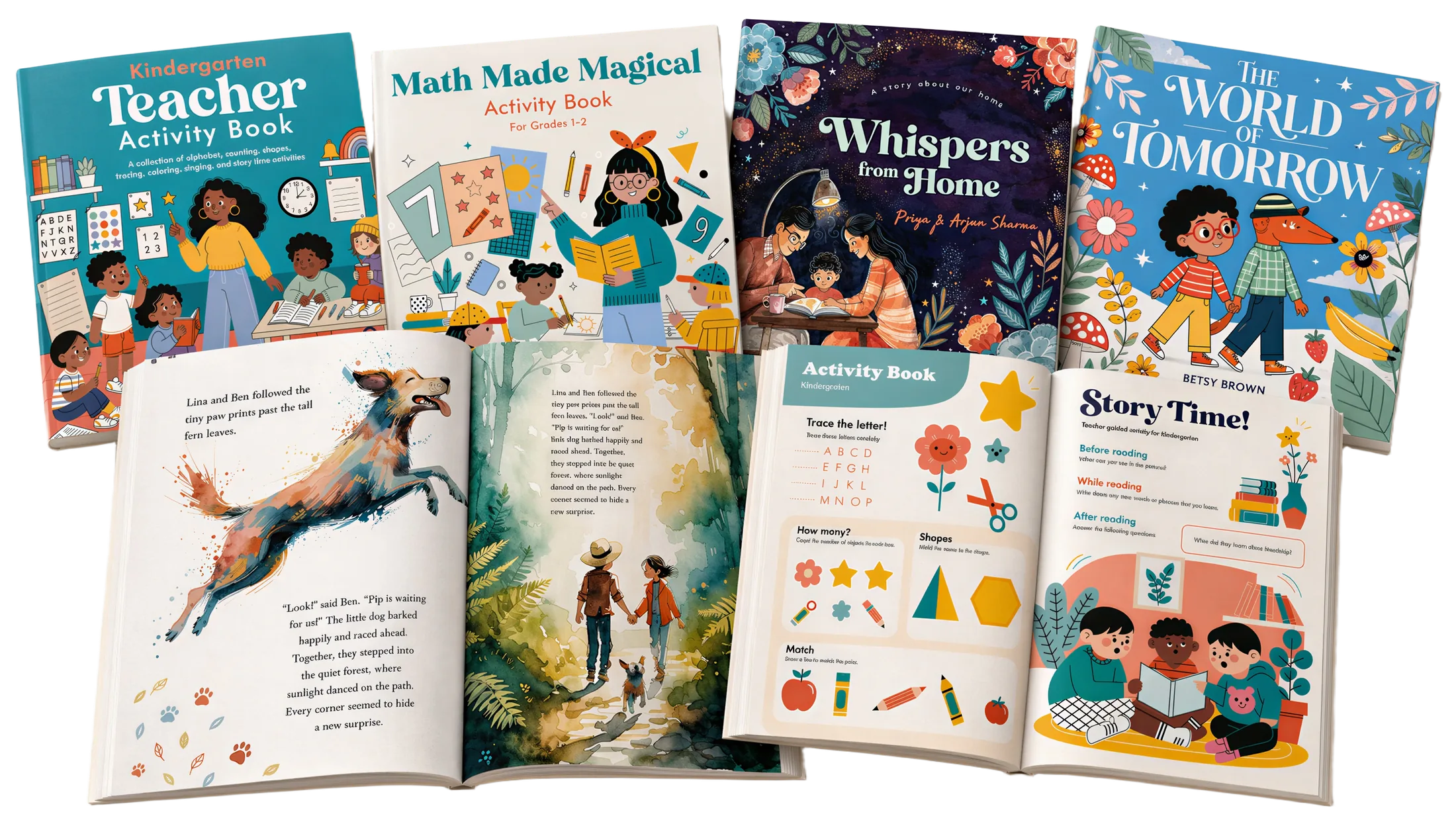
Built for self published authors creating children's books, storybooks, and activity books. Create illustrations, layout, and print ready files in one guided workflow.
Built for teachers creating children's books, storybooks, activity books, and classroom books. Generate illustrations, layout pages, and print ready files faster.
Built for parents creating personalized storybooks and activity books for children. Turn ideas into children's books with illustrations, layout, and print ready files.
AI children's book creation platform for authors, teachers, and parents.
Export print ready children's books for major publishing platforms and local printers.


 Local printer
 Performance Snapshot
Early benchmarkFaster creation
10×
Production cycle acceleration
Less production cost
90%
Lower execution overhead
Instead of months
Days
Go from draft to output faster
Workflow Capabilities
Consistent characters
Same faces across every page
Print-ready layouts
Bleed, trim & safe zones built in
Marketing assets included
Mockups, teasers & social posts
Import your manuscript and use one guided studio to generate illustrations, assemble pages, prepare print-ready files, and create marketing assets.
Get AI-assisted developmental edits for structure, pacing, and sentence clarity. Then lock a clean draft.
Reuse character models across scenes without redraws.
Intuitive controls for light page structure, safe areas, and cover design-not rigid templates.
One-click export for KDP, IngramSpark, and PDF. Eliminate margin errors with auto-check validation.
Creating a children's book traditionally requires coordinating several specialists and tools across multiple stages. Occibo brings the core steps of story planning, illustration creation, layout preparation, and publishing export into one guided platform.
| Step | Traditional Workflow | Occibo |
|---|---|---|
| Story Planning | Manual workflow Manual page planning and pacing decisions across drafts | Guided planning AI assisted page planning from your manuscript with author review and adjustments |
| Editing | Specialist led Professional editing cycles across multiple revisions | Author controlled AI assisted developmental and line edit suggestions with full author control |
| Illustrations | Commissioned process Commissioned artwork created with an illustrator over multiple review cycles | Guided creation Generate illustrations quickly and refine scenes, characters, and composition with guided controls Each illustration requires author input to maintain creative control and avoid automated book generation. |
| Book Layout | Design software Manual layout using professional design software and formatting knowledge | Built-in layout Auto bleed, safe areas, and professional book layout templates built for picture books |
| Publishing Export | Manual preparation Manual preparation of publishing files and platform requirements | Platform ready Export ready files prepared for Amazon KDP, Barnes and Noble Press, and professional printers |
| Book Promotion | Post-publish work Marketing assets created separately after publishing | Built-in assets Generate mockups, teasers, and promotional visuals directly from book pages |
Traditional Workflow
Manual workflowManual page planning and pacing decisions across drafts
Occibo
Guided planningAI assisted page planning from your manuscript with author review and adjustments
Traditional Workflow
Specialist ledProfessional editing cycles across multiple revisions
Occibo
Author controlledAI assisted developmental and line edit suggestions with full author control
Traditional Workflow
Commissioned processCommissioned artwork created with an illustrator over multiple review cycles
Occibo
Guided creationGenerate illustrations quickly and refine scenes, characters, and composition with guided controls
Each illustration requires author input to maintain creative control and avoid automated book generation.
Traditional Workflow
Design softwareManual layout using professional design software and formatting knowledge
Occibo
Built-in layoutAuto bleed, safe areas, and professional book layout templates built for picture books
Traditional Workflow
Manual preparationManual preparation of publishing files and platform requirements
Occibo
Platform readyExport ready files prepared for Amazon KDP, Barnes and Noble Press, and professional printers
Traditional Workflow
Post-publish workMarketing assets created separately after publishing
Occibo
Built-in assetsGenerate mockups, teasers, and promotional visuals directly from book pages
Our promise
Occibo is built to support human creativity, not replace it.
If you work with editors and illustrators, use Occibo to prototype faster. Explore visual directions, test layouts, and refine your vision before final production.
If you're creating on your own, use Occibo to make beautiful books for your family, your classroom, or your community. On your terms and your budget.
From first draft to finished book, Occibo guides you through every step
Upload your manuscript and watch as AI intelligently breaks it into pages, suggests optimal pacing, and identifies illustration opportunities.
Suggestion
Improve pacing and sentence clarity while preserving author voice.
Step 01
Structure & AI Edits
Occibo's AI analyzes your manuscript for pacing, vocabulary, and structure. It doesn't just fix typos-it helps you tell a better story before you even start the layout.
Step 02
Consistent Characters
Create your main character once, and Occibo remembers them. Generate consistent illustrations across every page, expression, and scene without the random AI look.
Step 03
Print-Ready Files
Forget bleed settings and margin errors. Occibo handles the technical print requirements automatically. Export ready-to-upload files for Amazon, IngramSpark, or local printers.
Join the Occibo waitlist for early access and lock in 50% off your first year at launch.
What you lock in
Priority early access and launch pricing.
Learn how to self-publish a children's book ->Who it is for
Authors, educators, parents, publishers, and editors.
Browse guides for authors, teachers, parents, and self-publishers ->Occibo is an AI children's book creation platform that turns a manuscript into an illustrated, print ready book with guided editing, illustration, layout, publishing and marketing tools in one workflow faster and at a lower cost.
See how the AI children's book maker workflow works ->Occibo is built for independent authors, educators, parents, publishers, and editors who want to create and self publish a children's book without managing a full production team. It helps users edit manuscripts, generate consistent characters and illustrations, build layouts, export print ready files and finally promote the books while staying in control.
Illustrators, publishers, and editors can also use Occibo to prototype ideas, test visual directions, and prepare concept presentations before final production. This helps teams explore faster and reduce early development cost.
Find the right guide for your role and publishing goal ->Canva helps design many things. Occibo helps create children's books from manuscript to print ready export with tools for consistent characters, book layouts, self publishing, and custom books for schools and kindergartens.
Compare children's book creation software and see what dedicated tools handle better ->Professional editors and illustrators bring deep creative expertise and are still the right choice for authors who want a fully custom process and can invest more time and budget. Occibo offers a more affordable path for self publishers, teachers, and parents to create children's books faster, often at far lower cost than traditional production. Publishers, illustrators, and editors can also use Occibo to test concepts, explore visual directions, and prepare early presentations before final production. Professional illustration for a children's book often runs into the low thousands of dollars, so a lower cost workflow is a meaningful alternative for many first time creators without giving up their book creation dream.
Everything you need to know about creating your children's book with Occibo
Occibo is an AI children's book creation platform that helps turn a manuscript into an illustrated, print ready book in one guided workflow.
Still have questions?
Stop waiting on freelancers. Start creating your children's book today with consistent characters and print-ready layouts.
Get early access



